In 2026, nobody is impressed by an ERP chatbot anymore.
The novelty of 'summarise this' has been replaced by the demand for 'solve this.'
As the industry pivots toward agentic AI, the race is on to see which systems will start operating autonomously.
Odoo AI already automates the gaps in standard workflows. Now, it’s evolving into an agentic engine integrated directly into your business logic.
We broke down what Odoo AI can do today, which features are still work in progress, and how Odoo plans to win the agentic AI era.
Can Odoo do it? - AI feature overview
Feature | Odoo AI workflow | Can Odoo do it? |
AI Chat scans Chatter, emails, and PDFs to generate a brief history. | 🟢 Yes | |
Moves stages or qualifies leads based on free-text rules and research. | 🟢 Yes | |
Validates record completeness and flags errors in the Chatter before handover. | 🟢 Yes | |
Converts text questions into filtered Pivot or Graph views. | 🟢 Yes | |
Writes contextual replies by referencing the internal Knowledge Base. | 🟢 Yes | |
Aggregates margin, stock, and payment status into a single view. | 🟠 WIP | |
Converts audio to text; future updates will auto-fill database fields. | 🟠 WIP |
Odoo AI features that work
Here are the strongest Odoo AI features:
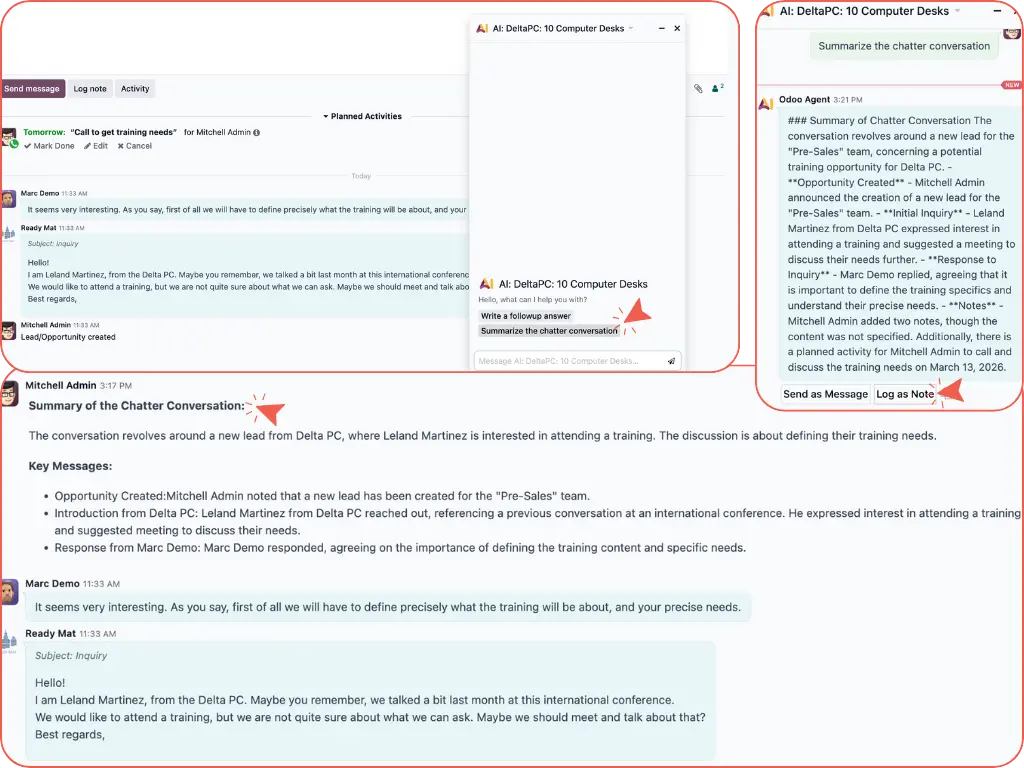
Summaries at handover
Odoo’s AI chatbot analyses all Chatter entries, emails, notes, and PDFs to generate a detailed summary.
For example, when a sales representative takes over an existing Opportunity, Odoo AI immediately provides context to the next team member.
With Odoo AI, you can get a full overview of all documented info history, summarised into an internal note.
No-code automation
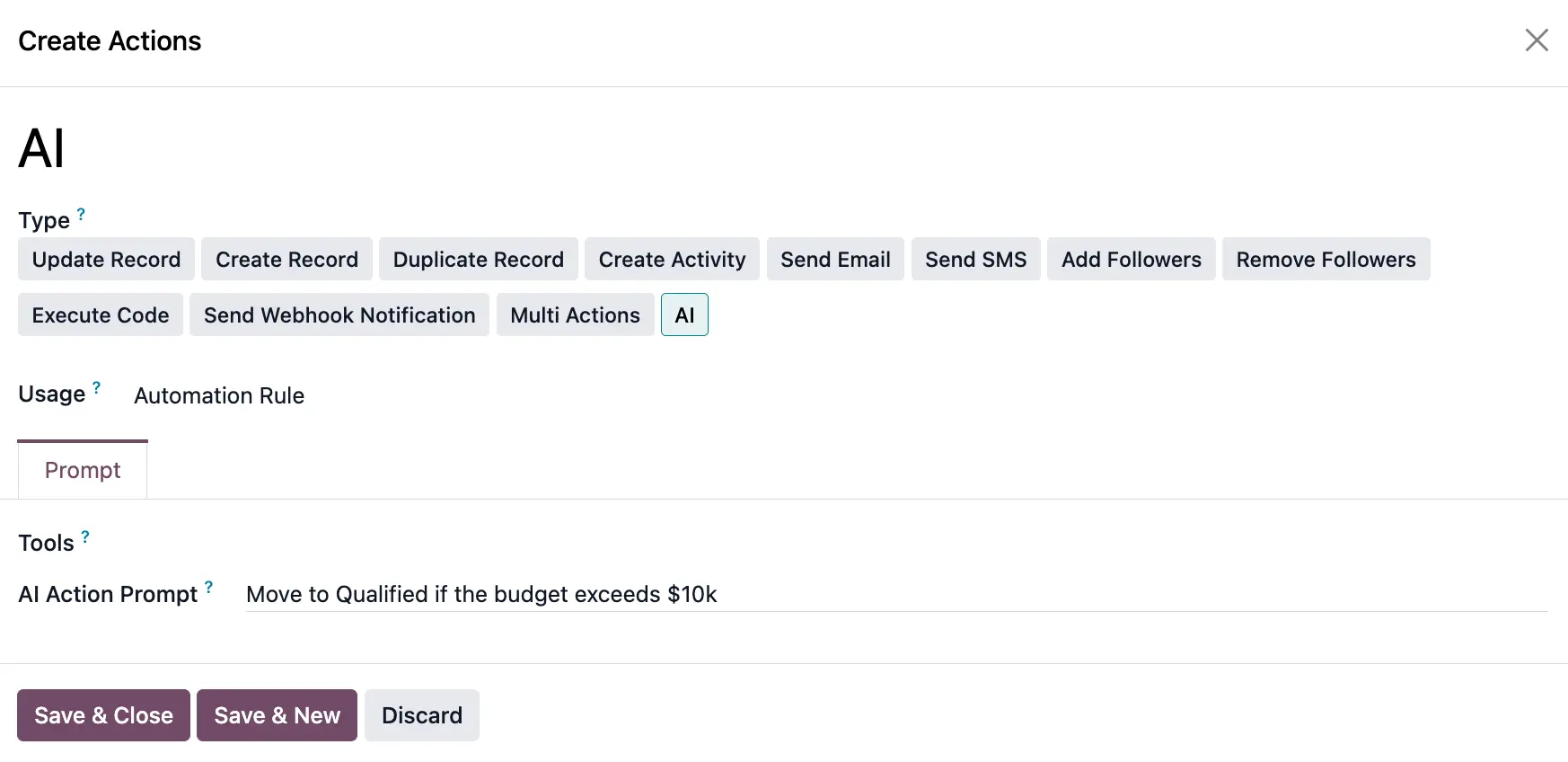
With Odoo AI, you don’t need to be a developer to automate processes. Just describe what you want in plain English (or whichever language you set your AI chatbot to).
For example, an Odoo user can create automated actions to move tasks or qualify leads by simply describing the rule in free text, like "Move to Qualified if the budget exceeds $10k."
Odoo AI makes high-level automation accessible to non-technical users.
Data integrity checks
Odoo AI acts as an automated reviewer to keep your database accurate and complete.
For example, the AI validates specific fields, like checking if a serial number is missing digits, and flags the error in the Chatter before a record moves to the next stage.
This keeps the workflow moving with correct information and prevents errors from being passed down the line to other departments.
Natural language reporting
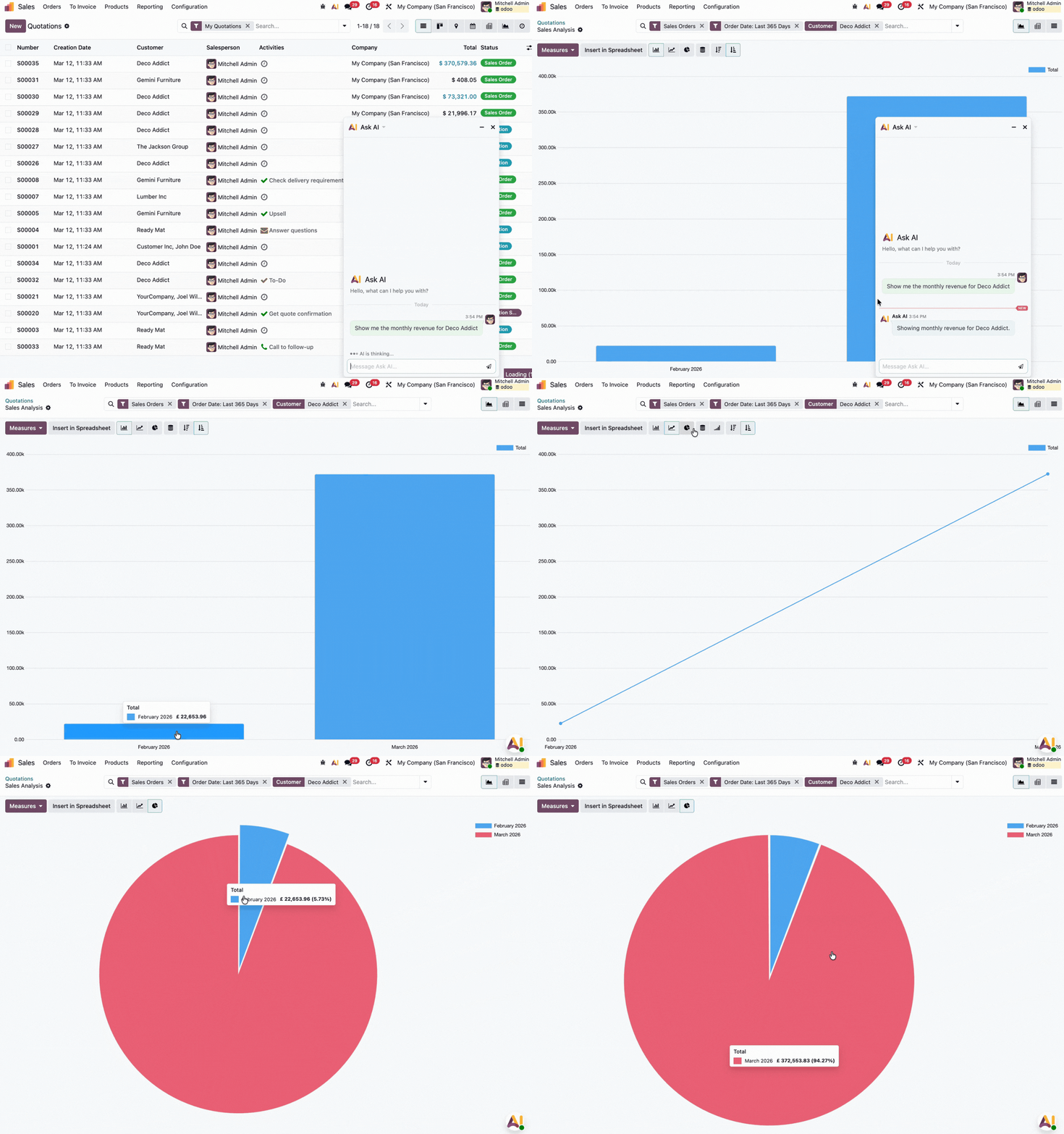
Odoo AI lets you generate complex data views through text queries, instead of relying on manual filter building.
You can ask your AI chatbot, "Show me the monthly revenue for Customer A in 2025 vs 2026," and Odoo will instantly generate the filtered view you need - pivot, graph, etc.
This gives you immediate access to data without needing to understand the technical backend of Odoo’s reporting engine.
Automated email replies
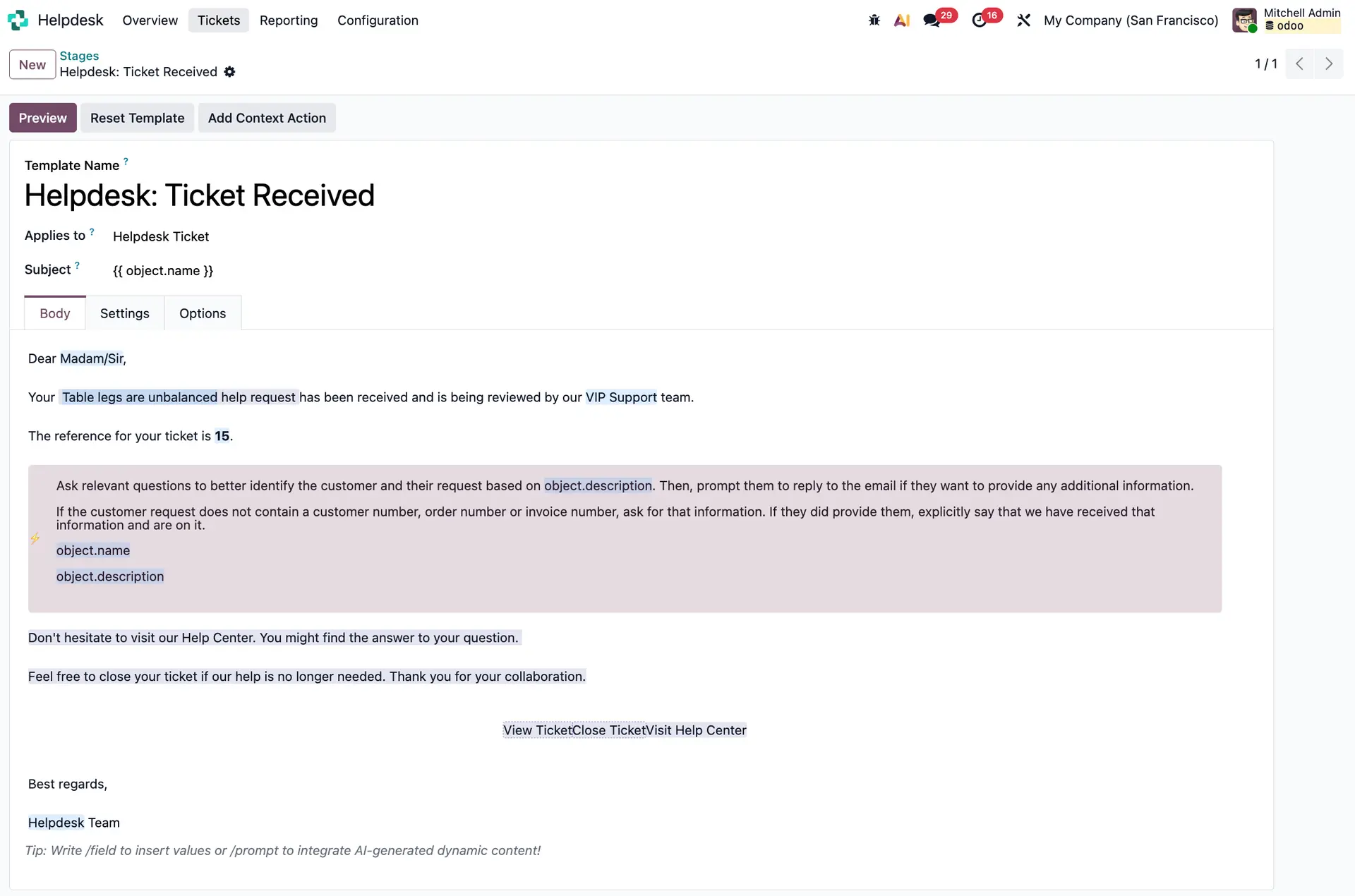
Odoo’s AI Agents can draft tailored replies by pulling relevant facts from the specific record and your company's Knowledge Base.
Your client’s team receives a professional and accurate draft ready to send to the customer, though Odoo AI can be automated to press send as well.
Odoo AI features that still need work
Here are some of the features we would like to see expanded in future versions:
Multi-data snapshots
Odoo AI still struggles with complex or multi-module data requests.
For example, if you ask AI for a single view that combines margins, stock levels, and payment status, Odoo might not give you a reliable answer.
For now, Odoo AI works well on queries focused on one specific topic or module at a time - but this could be an improvement we see in future versions.
Call transcription
The technology to convert speech to text is functional, but the automated data pipeline is still being built.
Odoo can currently transcribe a call with AI in real time. But it cannot yet use that text to automatically update data fields.
While the transcription is accurate for reading, a full auto-fill functionality remains a future roadmap item.
Optimise your processes with Odoo AI
Our experts can guide you through how to adapt Odoo AI to your business needs.