Your favourite AI assistant has no idea what is happening in your business.
Whether you use ChatGPT, Claude, or Copilot, the AI is cut off from your operational data. It cannot see your active projects, check timesheets, or look at team capacity. To use it for business tasks, you have to open Odoo, find the right data, and manually paste it into your chat.
You are forced to act as the human middleware between your software and your AI.
With the Odoo MCP server, you don’t have to do that anymore.
See how to connect your AI assistant directly to your live Odoo data, so it can read, create, and manage records without you having to touch the system.
MCP turns your AI assistant into an Odoo agent
MCP (Model Context Protocol) is an open standard developed by Anthropic that gives AI models a universal way to connect to external databases and business systems.
The much. Odoo MCP server applies that standard to your Odoo system. Once installed, it works with Claude, ChatGPT, Cursor, VS Code, Copilot, and any other compatible AI tool.
Because MCP follows an open standard, you are never locked into a single provider. Users can swap AI tools at any point, and still connect their Odoo all the same.
But a standard AI assistant has no access to your data; it only knows what you type. The MCP server connects directly to your Odoo, allowing your AI assistant to take action with your live data.
Your AI assistant becomes an Odoo AI agent that can:
Query live records and cross-reference data across modules in a single request
Write in your database: create leads, update contacts, log milestones
Parse a pasted spreadsheet and generate the corresponding Odoo records directly.
The Odoo MCP server brings agentic AI to older versions
Supported versions: Odoo 16, Odoo 17, Odoo 18, Odoo 19
Odoo's native AI app only runs on version 19, and companies on older versions either had to upgrade or go without.
Odoo MCP server also supports legacy versions down to v16, meaning you can connect a modern AI assistant to your system without needing an IT infrastructure overhaul.
But for Odoo 19 users, how does the MCP server differ from Odoo’s AI app?
Odoo’s native AI features work from the inside out. They are embedded directly within the Odoo interface and are tied to specific, native workflows.
The much. Odoo MCP server works from the outside in. If your team is already using an external AI tool, they should not have to open Odoo every time they need business context. The MCP server brings the data into the workspace they are already in.
The two approaches are not mutually exclusive; they complement each other depending on where your team spends their workday.
Keeping your data secure with Odoo MCP
When connecting an AI assistant to live business data, you might be asking: where does that data go, and who controls it?
With the Odoo MCP server, your connected AI inherits the exact access rights of the person using it. If a user cannot see a record in Odoo, the AI cannot reach it either, and no separate access points are created.
To keep data secure, we recommend organisations with strict data policies to:
Connect self-hosted open-source models running on your own infrastructure
Configure major commercial models via EU cloud hosting with custom encryption keys and zero data retention.
Odoo MCP use case: a day in the life of a project manager
Step into the shoes of a project manager who uses the Odoo MCP server to run their project check-ins.
Note: these tutorials used the much. Odoo MCP server and Claude Desktop.
Check project health
Open the AI assistant and ask:
"Which of my active projects are over budget or behind schedule?"
The AI reads your live project data and returns a prioritised list. For each flagged project, it tells you:
Hours logged vs hours planned
Current completion rate
Any open or blocked tasks.
Get the weekly summary
Pick one of the flagged projects and ask:
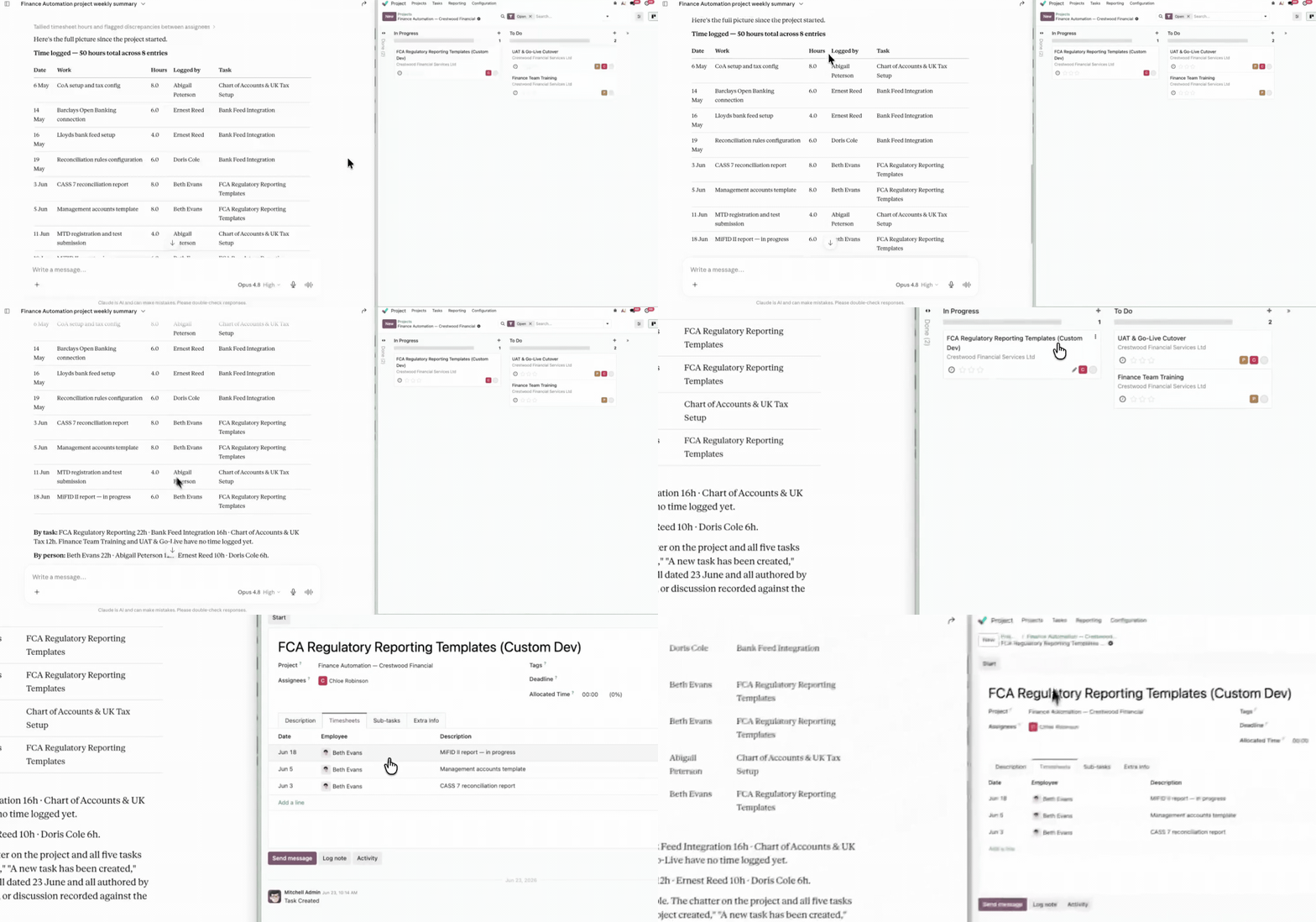
"Summarise what happened on project Finance Automation this week."
The AI pulls together:
Timesheets logged that week
Tasks completed and tasks opened
Open blockers
Comments and chatter on the project record.
Check team capacity
Before assigning new work, ask:
"Who on the team has capacity next week?"
The AI cross-references planned allocations with logged hours and returns a ranked list of:
Who is free
Who is at capacity
Who is already overloaded.
Log time directly from chat
A consultant finishes a session. Instead of opening Odoo, they type:
"Based on whoever’s available, book 3 hours on project Finance Automation, UAT & Go-Live cutover, by end of next week."
The timesheet entry is created: project linked, description set, date and duration written. It appears in Odoo immediately.
Let’s build your AI-assisted workflows with Odoo MCP
Our team of experts can help you set up AI-assisted Odoo workflows or explore specific Odoo MCP use cases tailored to your business.