Two years ago, we moved from WordPress to Odoo 17. It was a big improvement for us, and it served our marketing well.
Then Odoo 19 dropped. With promises of native AI, way better SEO, and a completely rebuilt editor, it was easily the most exciting website update we’d seen yet. Time for another upgrade.
Now that we are on the other side, we can safely say we are genuinely impressed with the results, but the transition wasn't without its challenges. We walked away with a few hard-won lessons you won't find in the official release notes.
If you’re planning your own upgrade to Odoo 19, here is our honest account of the process, and exactly what we wish we had known beforehand.
Our mantra for all Odoo website projects
Stay as close to standard Odoo as possible.
Stay as close to standard Odoo as possible. Every customisation adds migration effort in future upgrades.
The more standard the implementation, the smoother the next migration.
Odoo Website was revamped, your customisations must be too
Odoo overhauled the website editor between v17 and v19.
And while it is a great improvement, this also means that any custom features built on older versions will have to be rewritten from scratch.
Since the engine changed significantly, you will need to rebuild features like:
Custom blocks: Any unique widgets, sliders, or custom-coded layout elements.
Headers and themes: Main website templates have to be re-implemented because the way custom headers are registered has changed
Logic and layouts: Backend settings, behavioural triggers (like popups), and template structures were completely redone.
It’s easy to underestimate how much work this takes.
If your Odoo website has any custom website code, factor in more development and testing time than a normal version upgrade.
Biggest changes in the Odoo 19 website builder
The login page URL has moved to /odoo
The Odoo login page has now been hardcoded to /odoo, instead of /web.
That's worth checking before go-live: if you already have a page published under that URL slug or you have a custom login URL, it will cause a conflict.
Block names changed
In Odoo 19, some building blocks changed names:
The block "Box" is now "Card". This has altered some formatting options, such as colour and padding
Templates moved into a preset custom building blocks section, and v17 template drop-downs did not appear in the frontend UI.
Although these seem like minor changes, they can trip you up while testing if you’re well familiarised with the old builder.
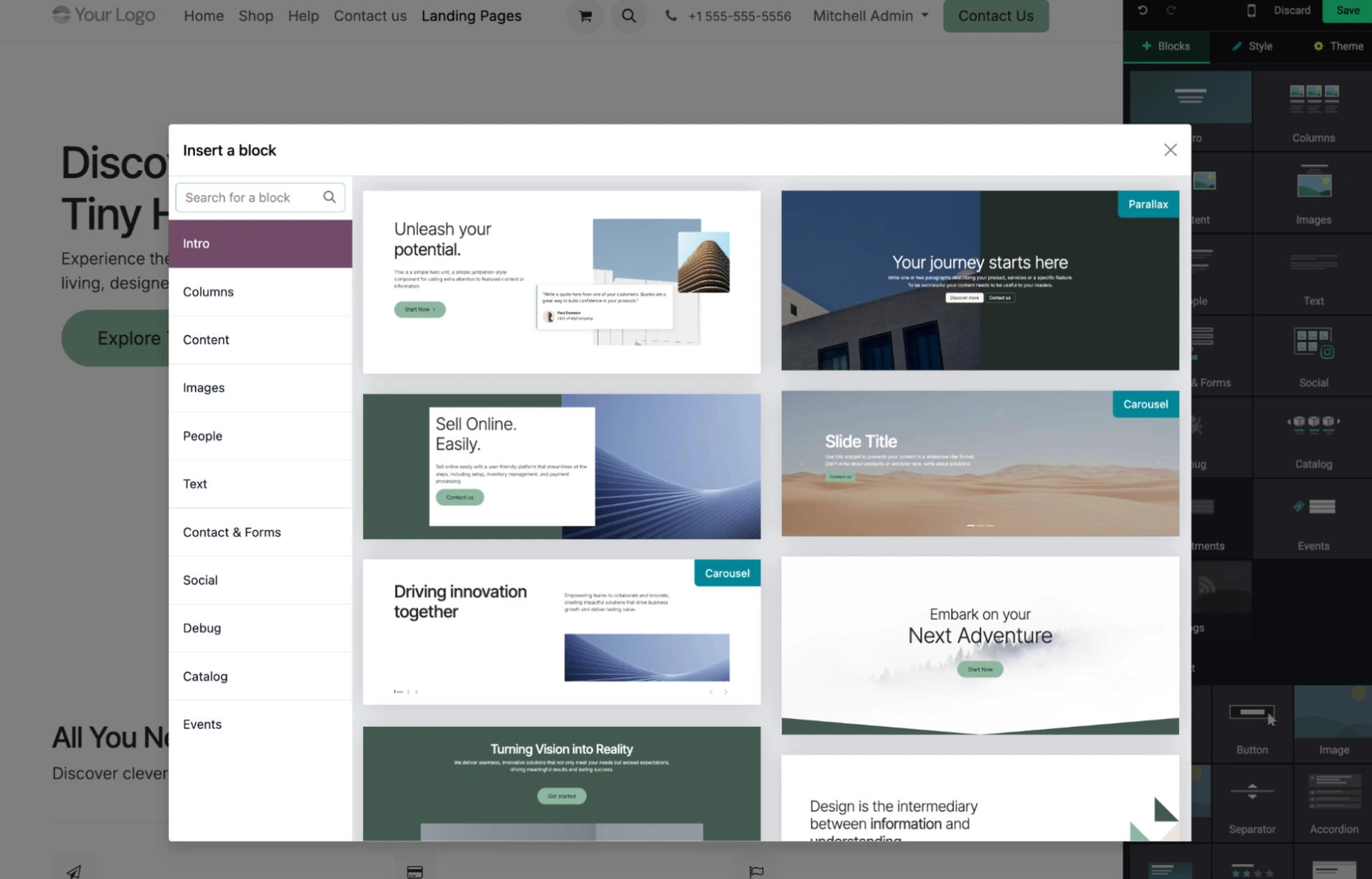
The sidebar block search moved
The search bar disappeared from the top of the website editor's sidebar. It now lives inside the individual block categories.
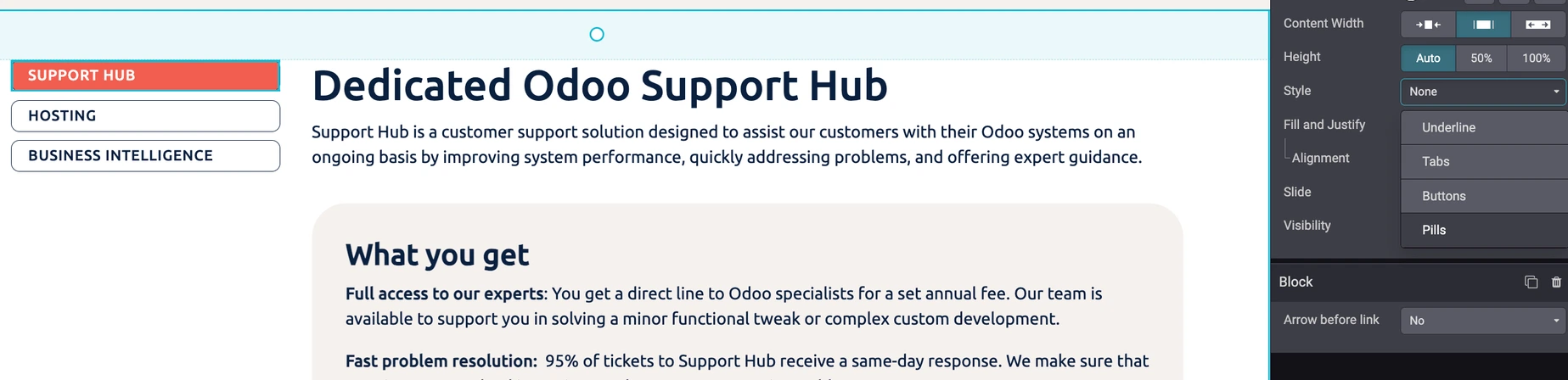
The vertical tabs block needs to be updated
The vertical tabs block from v17 isn't compatible with v19. It throws an error in the backend, even though it still renders well in the frontend.
Pages using it have to be updated to the "Pills" format in v19. It's a quick fix, but easy to miss if you don't audit pages before go-live.

Standard Odoo footer changed colours
The Odoo 19 footer is lighter by default. If you liked the older version, it’s no problem: just manually reset the colour.
3 commandments for a successful Odoo website upgrade
The golden rule: audit all pages and customisations before you start.
Compile a list of every custom block, template, and editor extension before the migration begins. Treat it as your bible. Nothing should be discovered mid-project.
Immediately after go-live: reping your sitemap ASAP, if you don’t want your organic traffic to suffer.
The old sitemap can linger in cache and interfere with how search engines pick up the updated site. This is a fixed item on our go-live checklist for every migration.
Do not forget: Test every custom page, not just the homepage.
The blog, landing pages, ad pages, and any page with dynamic content blocks all need end-to-end testing in staging. The homepage is rarely where issues hide.
What's new & improved in Odoo Website
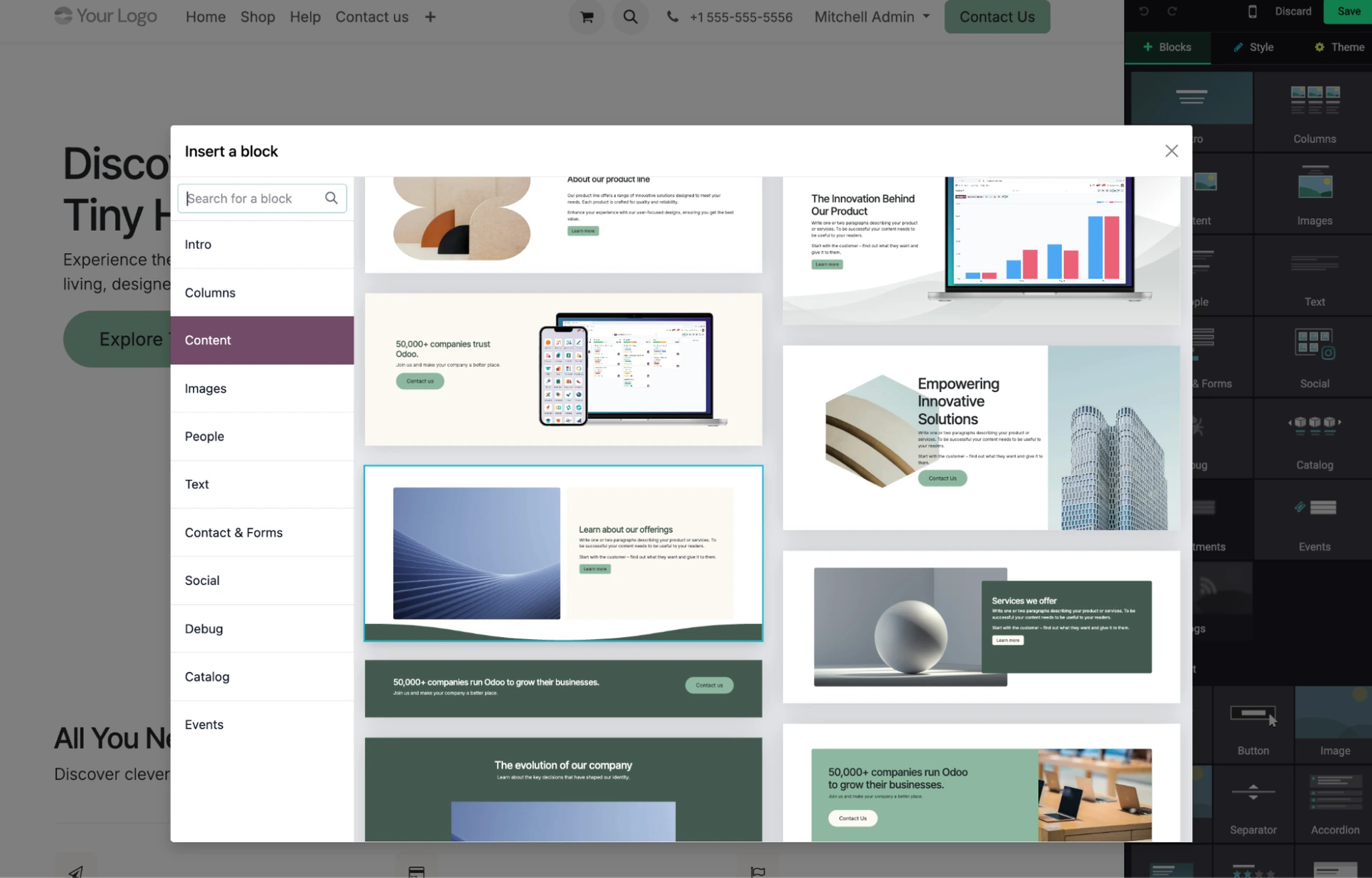
A much larger block library
The block library in Odoo 19 has been significantly expanded. New layout options and content block variants are all available out of the box without custom development.
We were able to replace some of our own custom blocks with standard ones, which means less to maintain going forward.
More granular & AI-powered SEO
This is one of our favourite improvements.
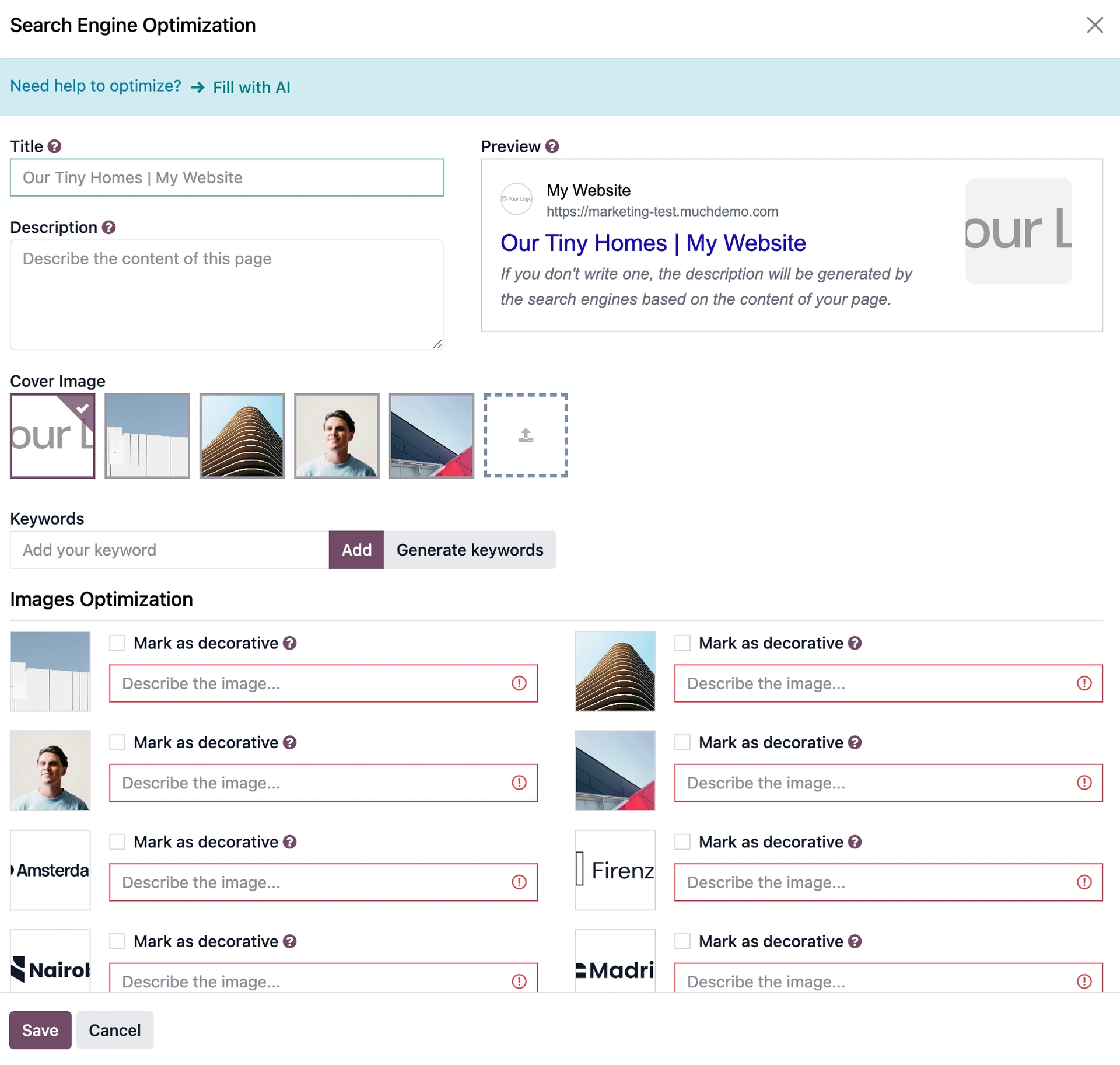
Image alt text can now be added directly from the SEO optimisation panel, without opening individual image settings. AI-powered suggestions for meta descriptions and keywords are available in the same place.
Everything needed to optimise a page is now consolidated in one view, which makes a real difference for teams publishing regularly.
Easier redirect management
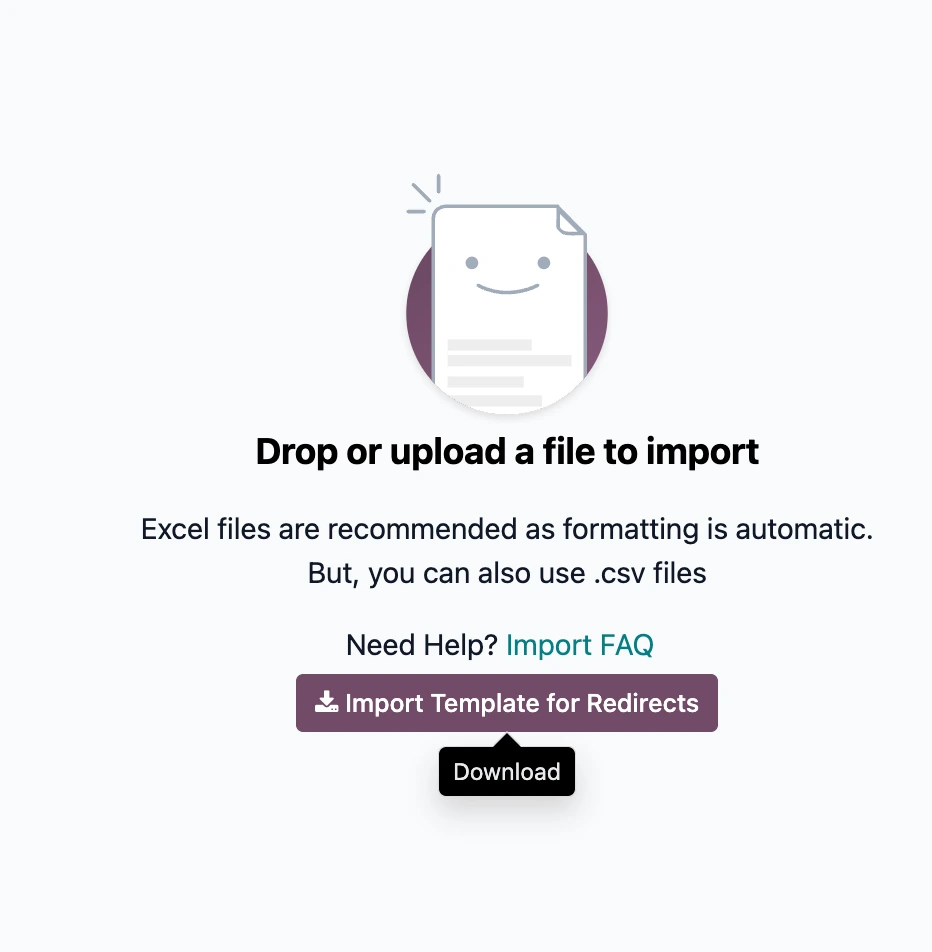
A dedicated Excel template makes bulk redirect imports straightforward. Anyone who has managed a domain migration or URL restructure will appreciate not having to build their own template or create redirects one by one (as we previously have).
eCommerce integrations & UI changes
After migration, visually check the cart. A minor colour class change in v19 can affect how the item count badge looks if custom styling was applied
The product page and checkout flow templates were reorganised. Custom eCommerce templates should be reviewed and tested end-to-end
The cart quantity logic changed internally. Test add-to-cart, quantity updates, and checkout flow in staging before go-live
Clients running online shops can now connect their product catalogue directly to Google Merchant Centre from within Odoo.
Note from our devs: Odoo revamped the website architecture
For the techies, our engineers broke down all the changes in the website architecture:
Dynamic content snippets: The base class and render methods for dynamic snippets (used for product carousels, blog post grids, and event listings) were rewritten and need to be updated.
Snippet options engine: The old framework was replaced by an OWL-based system. Custom options must now be rewritten as OWL plugins in the html_builder addon (formerly snippets.options.js)
Header registration: The picker moved from snippets.xml to the header_template_option.js OWL component
Cookie consent: The single Odoo 17 cookies component was split into four separate interaction classes (cookies_bar, cookies_approval, etc.) in Odoo 19. Any custom cookie consent logic needs to be mapped to the correct new component
Snippet registration: Custom snippets now require an explicit group attribute and keywords to appear correctly in the new sidebar categories. A small addition, but one that will catch you out if you're used to the v17 panel-based structure.
Let’s discuss your Odoo upgrade
Our experts can help you keep your Odoo up to date with the newest tech and scalable for the future.