Service scheduling looks different in every company:
A lift maintenance team needs to plan recurring visits. They have to allocate technicians by location to cut travel time and track the parts used on each job.
A consulting firm sells capacity months in advance. They must guarantee that the right people are available when delivery starts, often while juggling resources across several projects at once.
What these businesses do share is the pressure to keep their resources optimised.
On top of that, if they bill on time and materials, it’s even more important that every logged hour and every used part matches against the right invoice.
Odoo Planning offers a single view for service teams to schedule on-site work and manage time and resources from the moment a service is sold to the day it’s invoiced.
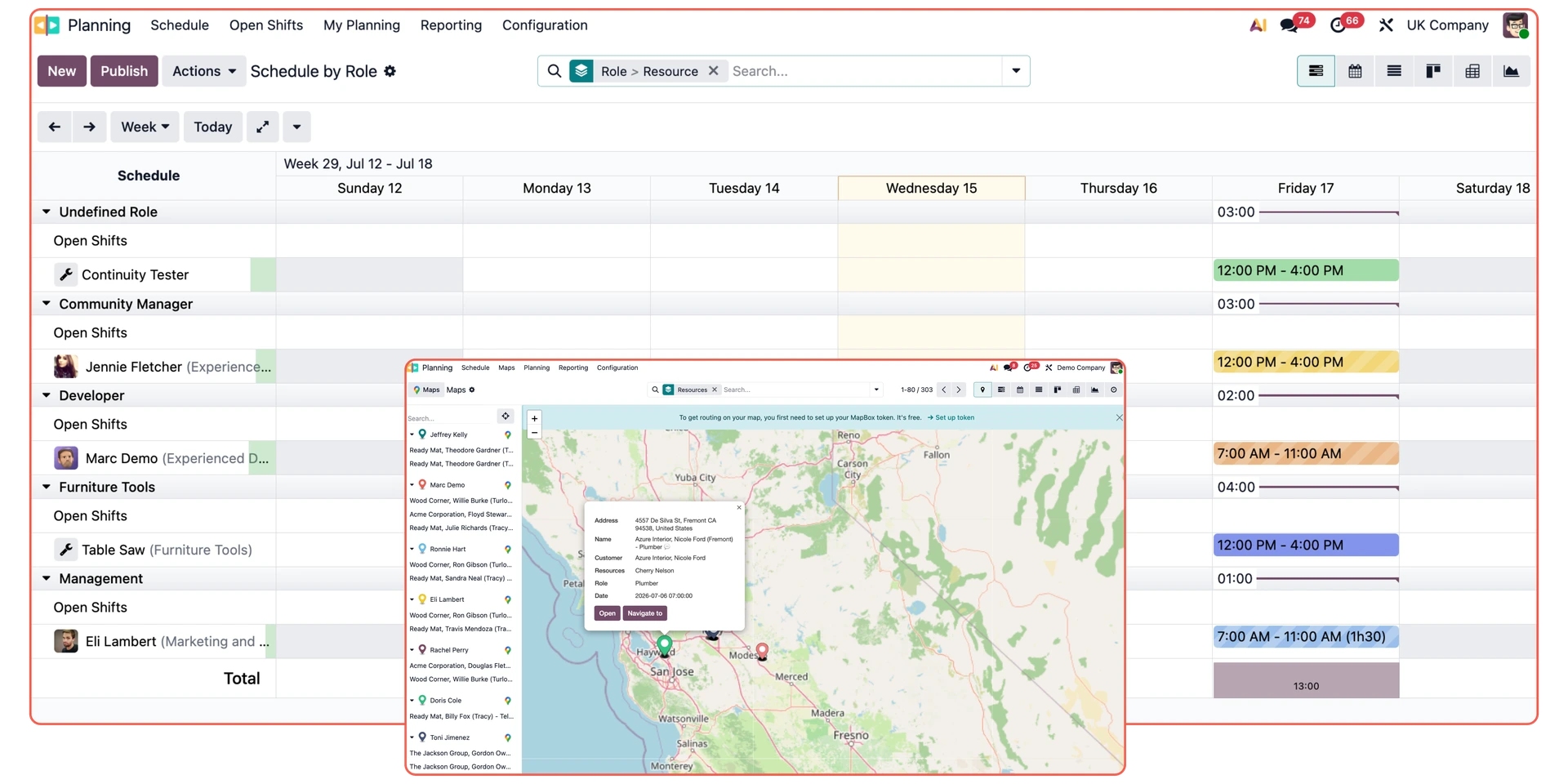
Odoo Planning at a glance
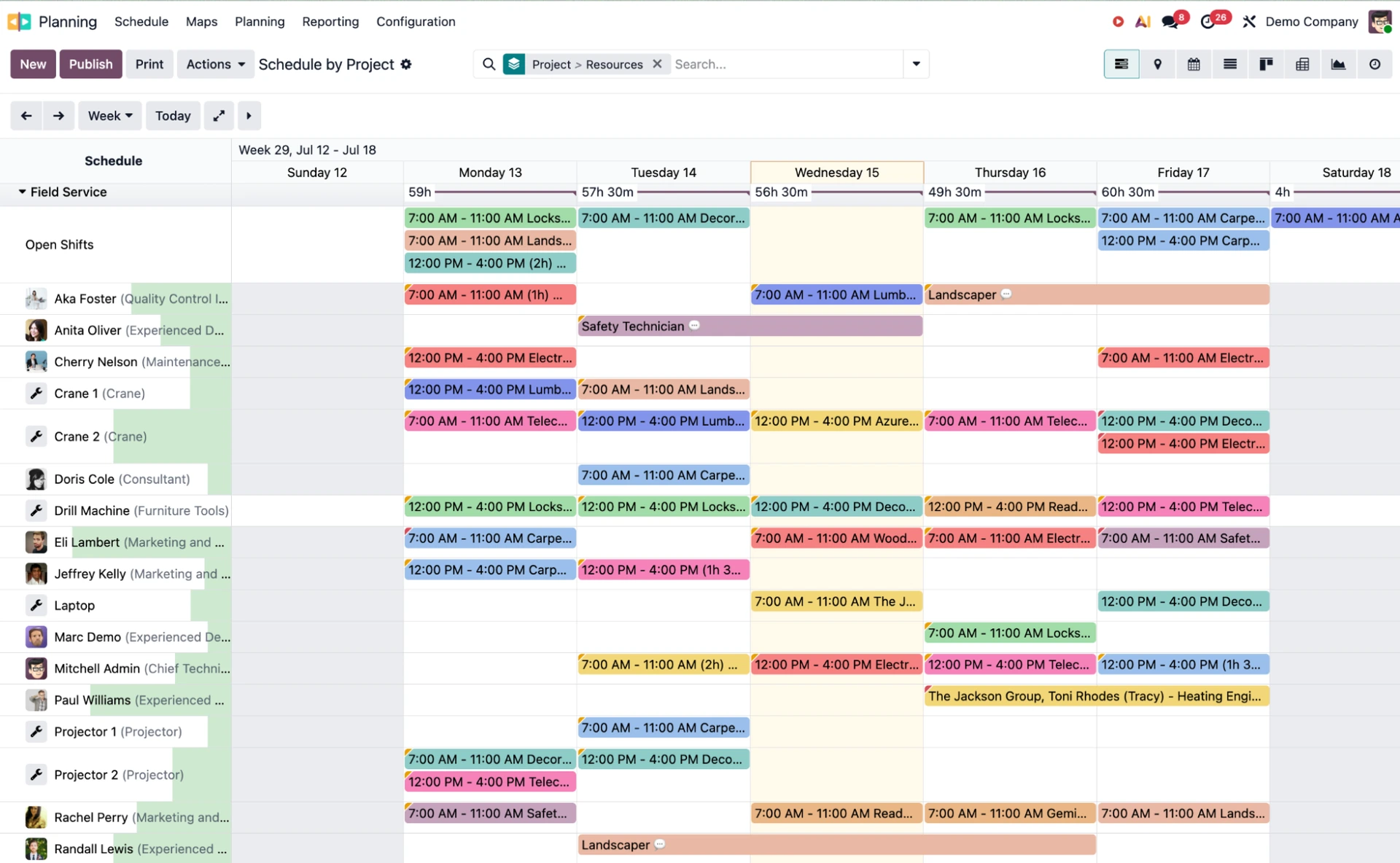
Odoo Planning Gantt view sorted by Resources
Manage scheduling and field work in the same system → Planning covers both in one view, with Field Service tools built in.
Connect timesheets to the plan → Planning links directly to timesheets, so managers can compare scheduled hours against logged hours in the same view.
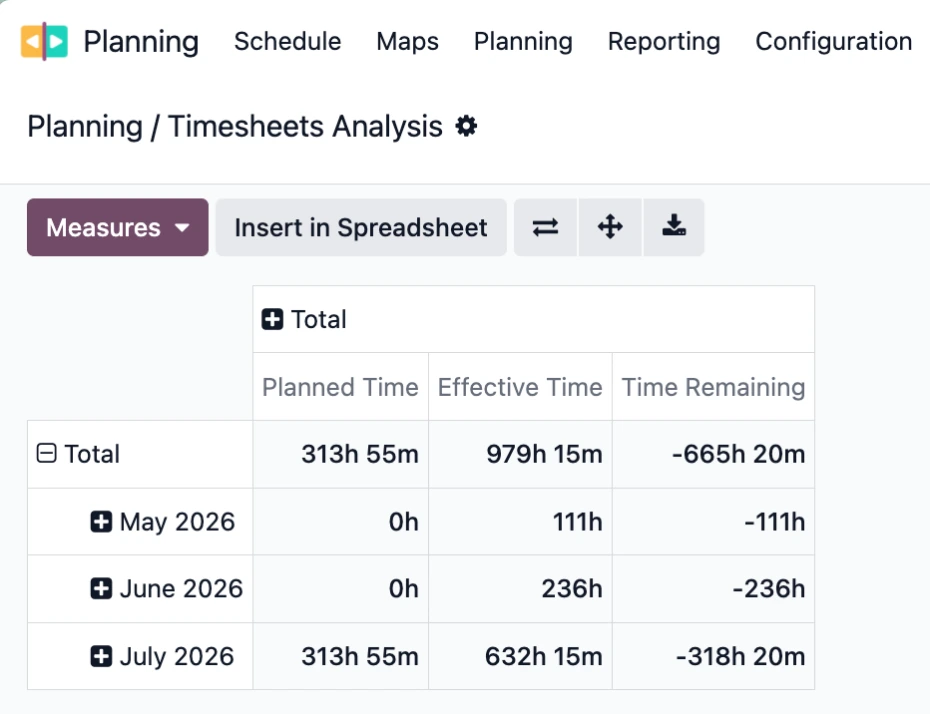
Odoo Planning Timesheets Analysis report
Shared view of the schedule → Shifts are published to a personal portal, which field workers can access without an Odoo user.
Automated shift assignments → The Auto Plan button fills open shifts automatically based on each employee's role, availability, and time off.
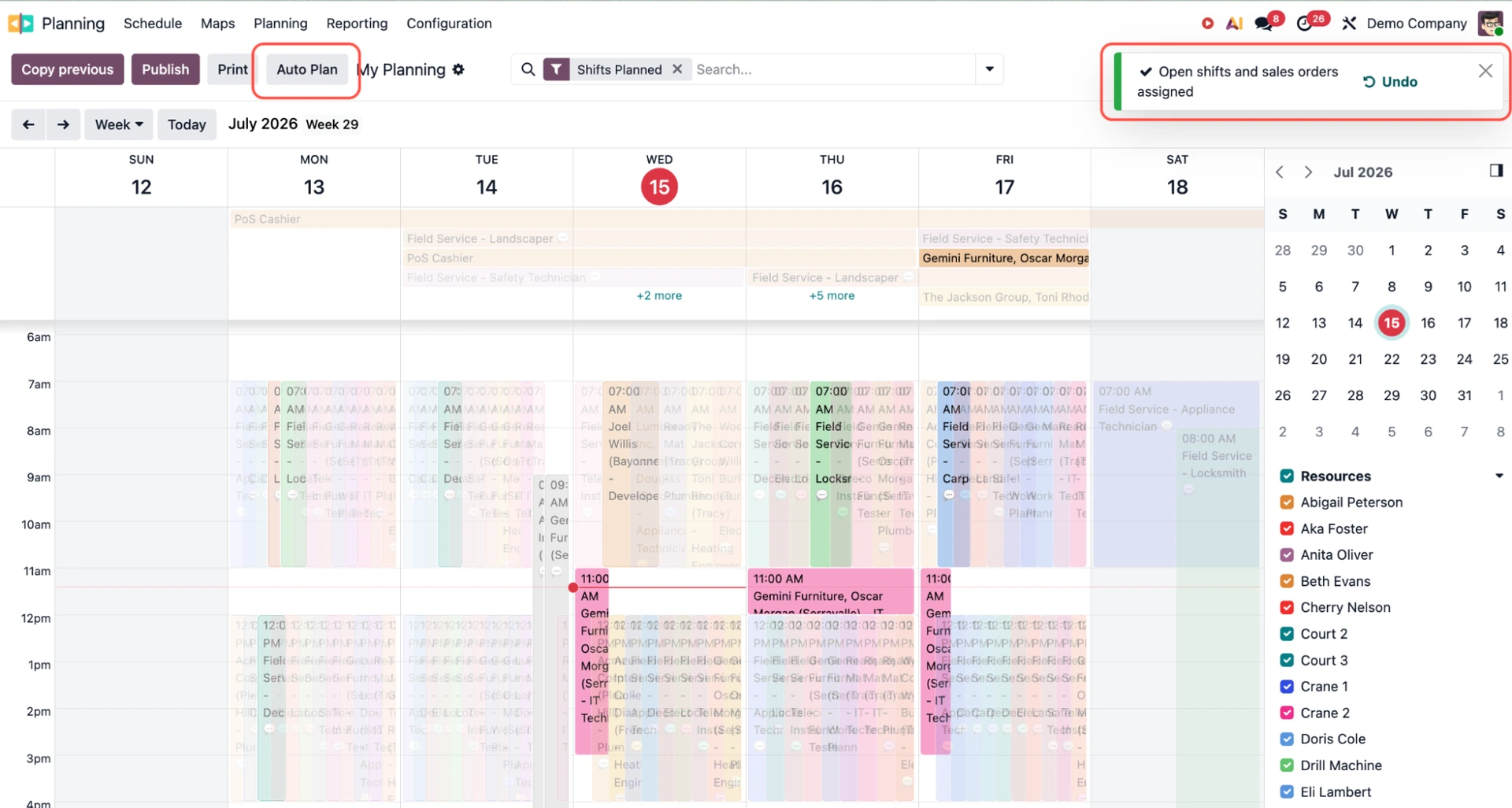
Odoo Planning assigns shifts and sales orders with Auto Plan
Shift swap requests in the same system → Employees can request to switch shifts with a colleague directly from their schedule.
Unified view across projects and sales orders → Admins can view the full schedule by Resource, Role, Project, or Sales Order.
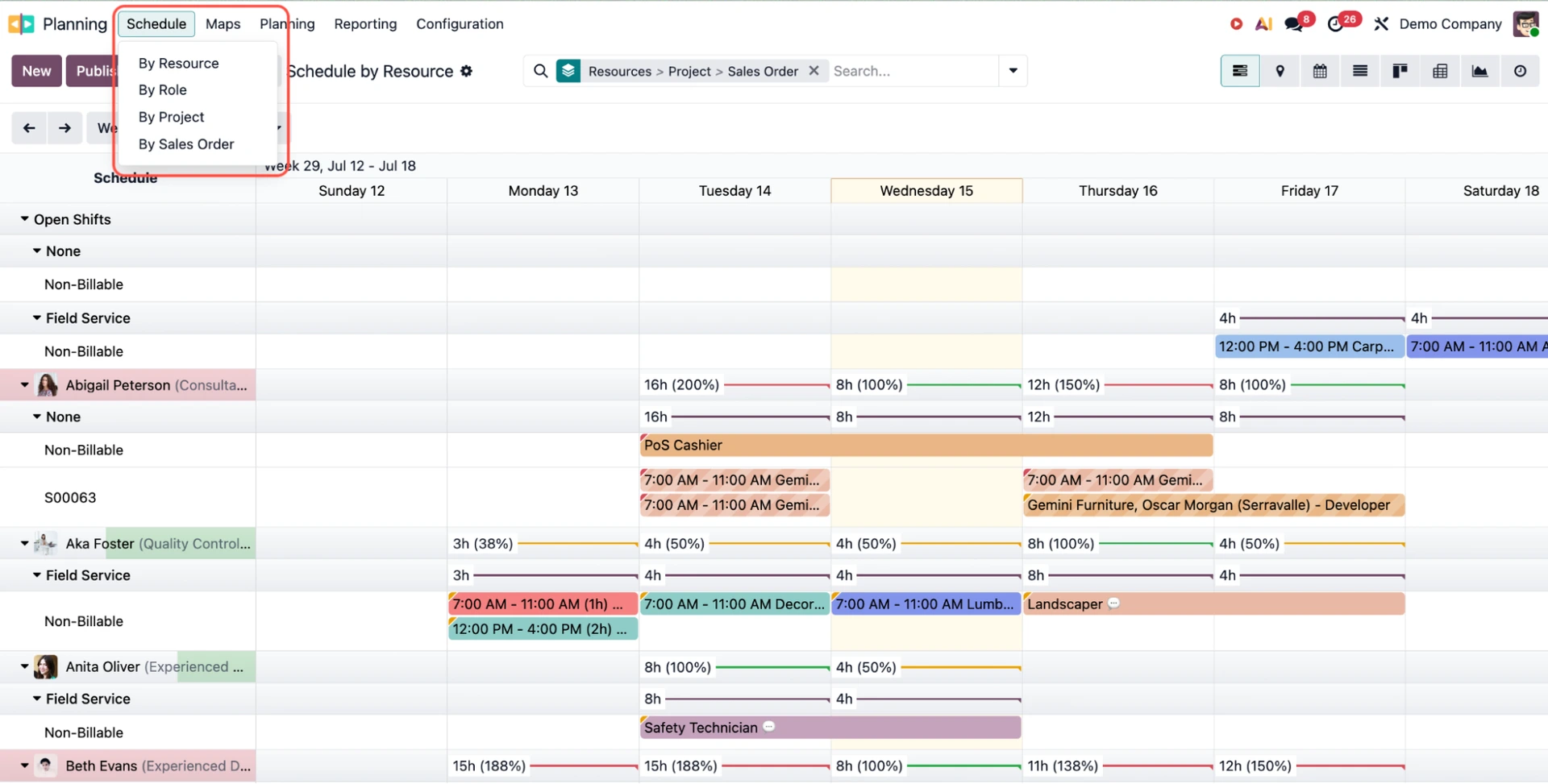
Schedule views in Odoo Planning
Role tracking per role or skill → Roles carry custom property fields that appear on every related shift, covering certifications, work location, or language requirements.
Material and equipment assignment → Heavy equipment such as cranes or specialist tools can be assigned directly to a shift alongside the technicians, so the full resource picture is visible in one place.
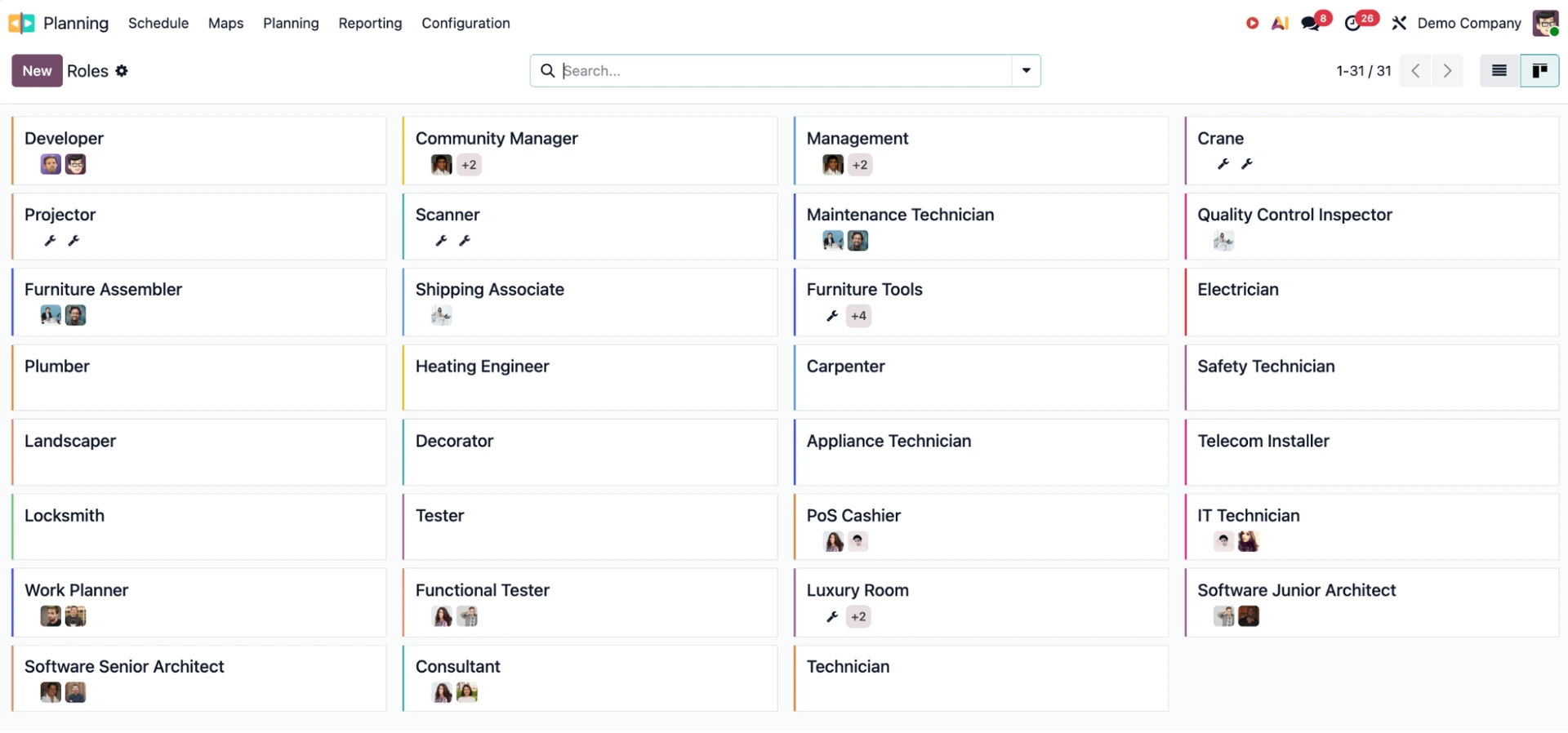
Material and equipment assigned in Odoo Planning
Odoo Field Service is now in Odoo Planning
As of Odoo 19.2, the standalone Field Service app has been discontinued. Teams that previously used Field Service will find the same features in Odoo Planning, with several improvements.

Here is how the main features changed:
Feature | Previously in Odoo Field Service | Now in Odoo Planning |
Worksheets | Required Studio to customise fields | Standard property fields, no Studio needed. Technicians can take photos and attach them to the final PDF report |
Time tracking | Standard timesheet logging | Sign In and Complete buttons log location, open a portal for client sign-off, and record break times |
Team size | Jobs assigned to one technician | Single or multiple technicians and materials on one shift. Hours multiply automatically by team size |
Billing | Based on timesheets and materials | Shift times link directly to the sales order and go straight to invoicing |
Warranties | Standard invoicing | An "Under warranty" toggle removes the charge and updates stock levels automatically |
Task and contract links | Jobs linked to projects | Shifts can be tied to specific tasks and set as recurring for subscription contracts |
Navigation | Basic address fields | Built-in location button opens directions to the client site |
How different teams can use Odoo Planning
Odoo Planning structures work around shifts and roles.
Managers block time for a specific person in a specific role, publish the schedule when confirmed, and employees see their upcoming work in a personal portal.
Recurring shifts handle the repeating structure of most service businesses: weekly maintenance, monthly support windows, subscription contracts, etc.
Once finished, they link directly to your sales orders. Odoo handles the financial side automatically, no matter how you charge for your time:
Time & materials: The exact number of hours worked or parts used during a shift automatically updates the sales order, ensuring the customer pays exactly for what has been delivered
Pre-paid capacity & retainers: Scheduled shifts pull from the client’s prepaid balance in real time, giving managers a live view of consumption and project margins before the work even begins.
Here’s how different service teams put Odoo Planning workflows into practice.
Field service and maintenance
For teams dispatching technicians to customer sites, Planning handles scheduling, on-site sign-off, and billing in one flow:
A technician sees the job on their portal
They sign in on arrival with the location logged
The team completes the work and eventually takes pictures in Odoo if needed
Engineers add any materials used on-site directly from their device
The customer signs off on-screen
Hours worked are automatically reflected on the invoice; materials are billed to the customer where applicable.
Consulting and software development
Consulting businesses sell capacity months in advance and deliver it week by week. Planning connects the hours sold on a sales order to the right people by role.
A project manager allocates time to the project based on what has been sold
Consultants are assigned to the project, either:
Automatically via Auto Plan based on their role and availability
Manually by marking their capacity directly in My Planning
Work is completed, and time is logged against the linked project
Hours feed directly into invoicing
If needed, timesheets can be consulted for a final review at any point in time.
Project managers have a live view of what has been sold and who in the team can cover it before it becomes a delivery problem for the client.
Odoo Planning adapts to more complex scheduling needs
Odoo Planning's standard features cover most service teams.
But if your workforce is highly specialised, you operate internationally, or customer relationships are a core part of your service delivery, you may need to go further:
Allocate work based on skills, certifications, experience, or language
Always send the technician a customer already knows
Manage shifts across time zones for international teams
Send satisfaction surveys automatically once a job is done.
Odoo can be further tailored to each of these use cases through standard configuration or expert customisation, without the need for a separate tool.
Some of our customers already manage their advanced planning and scheduling with Odoo.

simplee AG is an e‑mobility company based in Switzerland. It operates across Europe to simplify electric vehicle charging by delivering intelligent, future‑ready solutions.
They use Odoo Planning along with a custom survey solution to ensure that their vast and highly customisable product selection is always correctly installed.

Clinomic is a German MedTech startup for digital assistance and remote medical systems.
They use Odoo Planning to coordinate the installation and maintenance of their medical devices, keeping technician scheduling and service delivery in one place.
Odoo 20 will close the gap between Planning, Projects, and Timesheets
Odoo 20 continues the direction set by the Field Service merger: fewer apps, more connected workflows.
The upcoming version will take the Field Service integration further, with Planning becoming the central resource management layer across the business.
Unified resource management: All tasks and employees will be managed in one place, combining scheduling, field operations, and project resources into a single engine
Gantt view upgrades: The Gantt view will integrate with MapBox to show precise travel times between jobs
Map view upgrades: The Map view will integrate with MapBox to show smart routing optimisation, allowing dispatchers to easily plan the most efficient sequence for the day
Technician tracking: A live map will show where technicians are in real time. Materials can also be assigned directly to employees within Planning
Project profitability reports: New reports will show actual and projected margins per project, so managers can track financial health without leaving the app
Smarter time tracking: A new built-in timer widget and a new AI assistant will suggest timesheet entries based on user activity, collected from time spent in the Project app, discussions, and pull requests.
Customer history overview: Customer equipment and intervention history will be visible directly from Planning.
Travel time invoicing: Travel time to a customer's location will be invoiceable as a fixed fee
Website forms connected to Planning: Service requests will be collectable through a website form, without customers booking services directly.
Odoo Planning FAQs
Does Odoo Planning manage both internal teams and field operations? Yes. As of Odoo 19.2, Odoo Field Service is integrated directly into Odoo Planning. You can allocate resources, schedule field technicians, track location-based sign-ins, and manage on-site customer sign-offs within a single app.
Does Odoo Planning automatically link hours to customer invoices?
Yes. Scheduled shifts and recorded timesheets connect directly to sales orders. Whether you charge for time and materials or pull from prepaid retainers, customer invoices update automatically based on logged hours and used parts.
Can employees view and swap shifts without an Odoo user license in Odoo Planning?
Yes. With Odoo Planning, managers can publish confirmed schedules to a personal portal that field staff can access without needing a full Odoo license. Employees can view their upcoming shifts and request shift swaps directly through this portal.
Let's discuss your Odoo Planning setup
Our experts help you connect scheduling, field operations, and billing in one place.