Let’s say a colleague is ill and you have to take over their client.
But to get up to speed, you need to search through a record full of scattered information: internal logs, long email threads, old scheduled activities, and loose offers.
Reading through everything takes time and carries the risk of overlooking critical details.
With Odoo AI, you can extract all the context you need from any dataset in seconds. See how to summarise your loose information into detailed summaries and actionables in a few steps.
Odoo AI is your personal customer service assistant
Odoo AI answers any question you may have about a dataset - just as if you were asking the in-house expert who owns that information.
The AI Agent scans years of scattered logs to pull out the facts that you need immediately.
It lets you:
- Extract info instantly: You get a structured briefing on a client's history in seconds
- Identify pending topics: The AI flags if a process is still outstanding, like a signed contract or a technical spec
- Maintain service continuity: The customer doesn’t mind that their SPOC is missing, as you have the full context and can provide the right information.
Odoo 19 introduced AI Agents for various use cases
In version 19, Odoo introduced more autonomous AI with built-in agents like Ask AI, Odoo Agent, Compliance Assistant, and Livechat Agent. It also gave users the tools to build their own agentic AI workflows
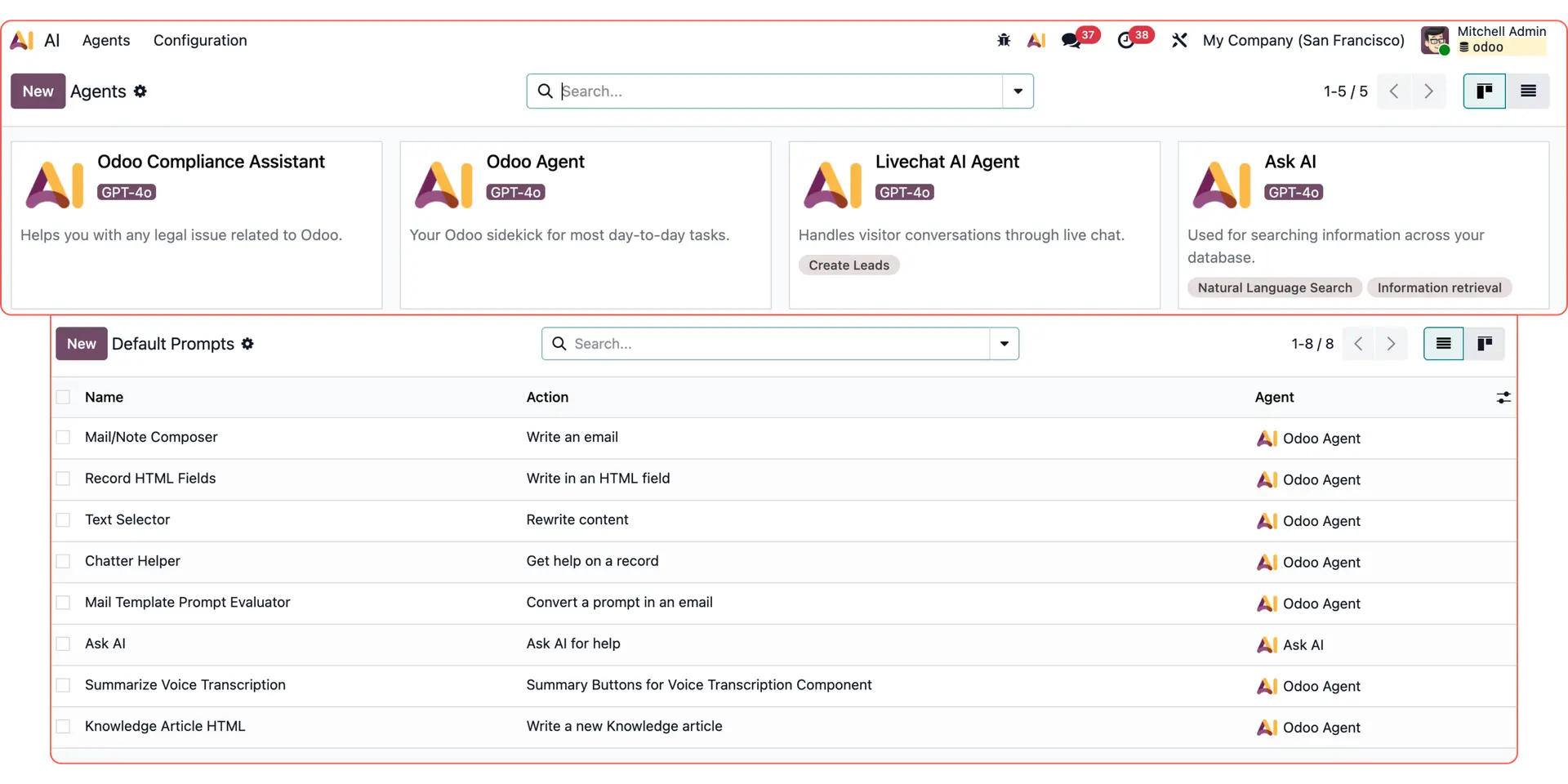
For more Odoo AI use cases, check out:
Custom email replies with Odoo AI dynamic text
Reporting & data analysis with Odoo AI Agents
Follow-up emails with Odoo AI Agents
Responding to live chat leads with Odoo AI Agents
How to query Odoo AI to summarise your customer data
Let’s say a long-standing customer has asked an urgent question. But their sales representative is away, and you’re now in charge of their account.
To catch up on their current situation and follow up on any next steps, open the relevant data record (e.g. the sales opportunity or the contact).
Open the AI chatbot directly on the data record - find it at the top right corner of your Odoo display.
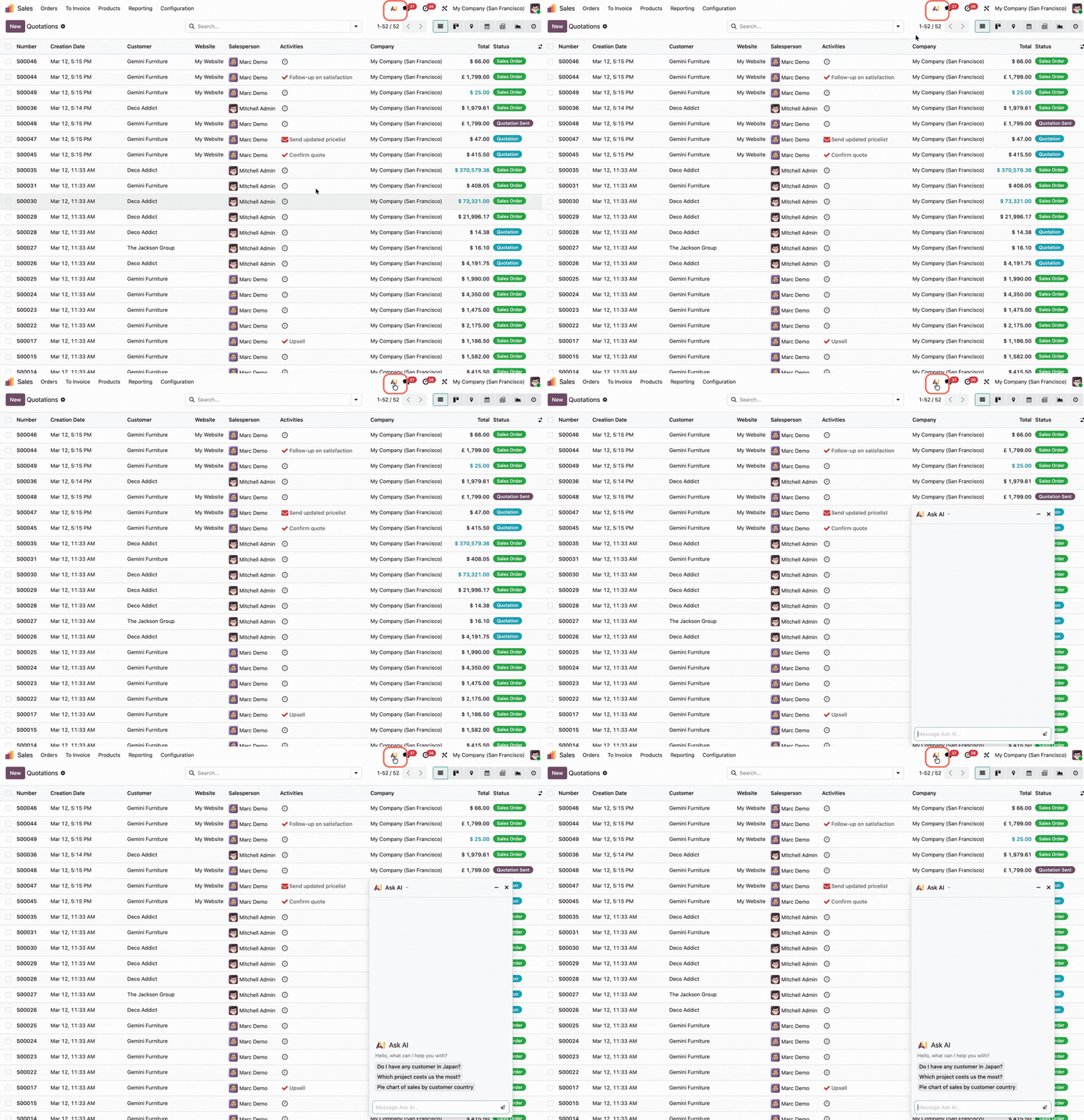
Write your request in plain language:
“My colleague is on holiday, and I need a handover. Please briefly summarise all the key information and next steps for this customer".
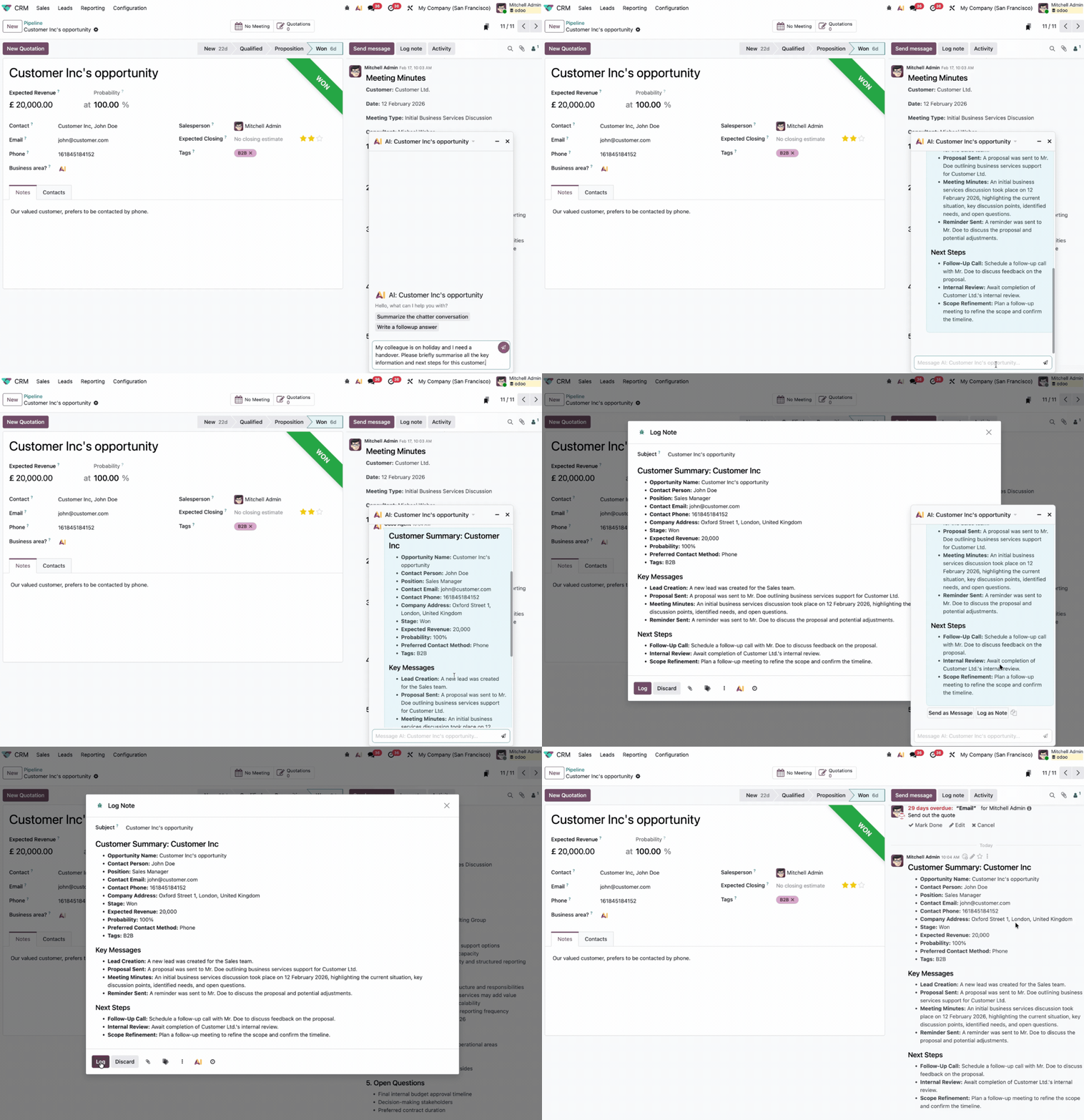
The AI analyses all linked data: contact history, open offers, planned activities, internal notes, email contents, and tone.
It then provides a compact summary that you can add to your internal Log Notes with one click. When your colleague returns, they can step back in instantly.
Bonus: You can also ask the AI for direct assistance from the same chat. For example, if there’s an open task or activity, you can ask AI to send a reminder email or to enter a follow-up appointment.
Let’s automate your handovers with Odoo AI
If you have any questions on how to query your records or want to discover specific Odoo AI use cases for your business, our team of experts can help.