Companies sit on a treasure trove of data: product descriptions, technical manuals, and internal wikis.
This knowledge, however, is often scattered across different PDFs, articles, folders, and more.
Employees waste hours searching for the right document, and customers end up waiting for answers that are already written down somewhere.
With Odoo AI, you can transform your internal documents into an intelligent knowledge base that you can query for all existing information.
Odoo AI is the all-knowing index of your company's knowledge
Looking through various folders and documents just to answer a customer's question wastes your team's time.
Odoo AI steps in as an expert that analyses your stored information in seconds.
It finds the right files and understands the content to provide a direct answer to your query.
It lets you:
- Provide instant answers: It resolves complex technical or procedural questions in seconds instead of minutes
- Keep consistent information: Every employee accesses the same knowledge, which keeps their replies standardised
- Build trust through traceability: The AI provides source references, allowing you to verify the original document in a single click
- Relieve your experts: Senior staff spend less time answering recurring basic questions and more time on high-value tasks.
Odoo 19 introduced AI Agents for various use cases
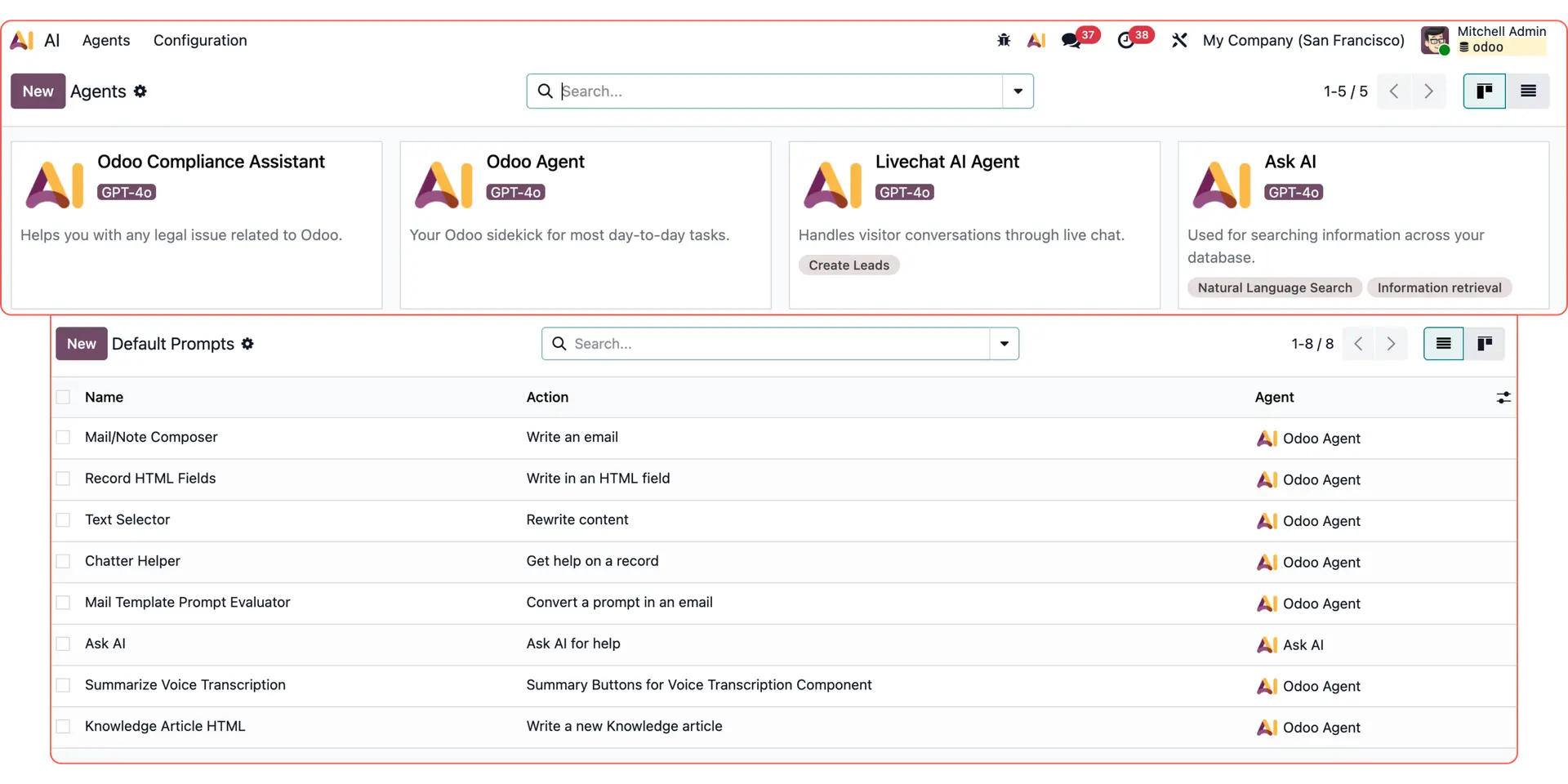
In version 19, Odoo introduced more autonomous AI with built-in agents like Ask AI, Odoo Agent, Compliance Assistant, and Livechat Agent. It also gave users the tools to build their own agentic AI workflows
For more Odoo AI use cases, check out:
Custom email replies with Odoo AI dynamic text
Reporting & data analysis with Odoo AI Agents
Follow-up emails with Odoo AI Agents
Responding to live chat leads with Odoo AI Agents
How to query your internal data with Odoo AI Agents
Here is how the Odoo AI Agent handles a technical enquiry by scanning your company documentation.
Select your AI Agent
Open the AI App in your Odoo dashboard. From your list of configured agents, select the use case: “Answer customer queries.”
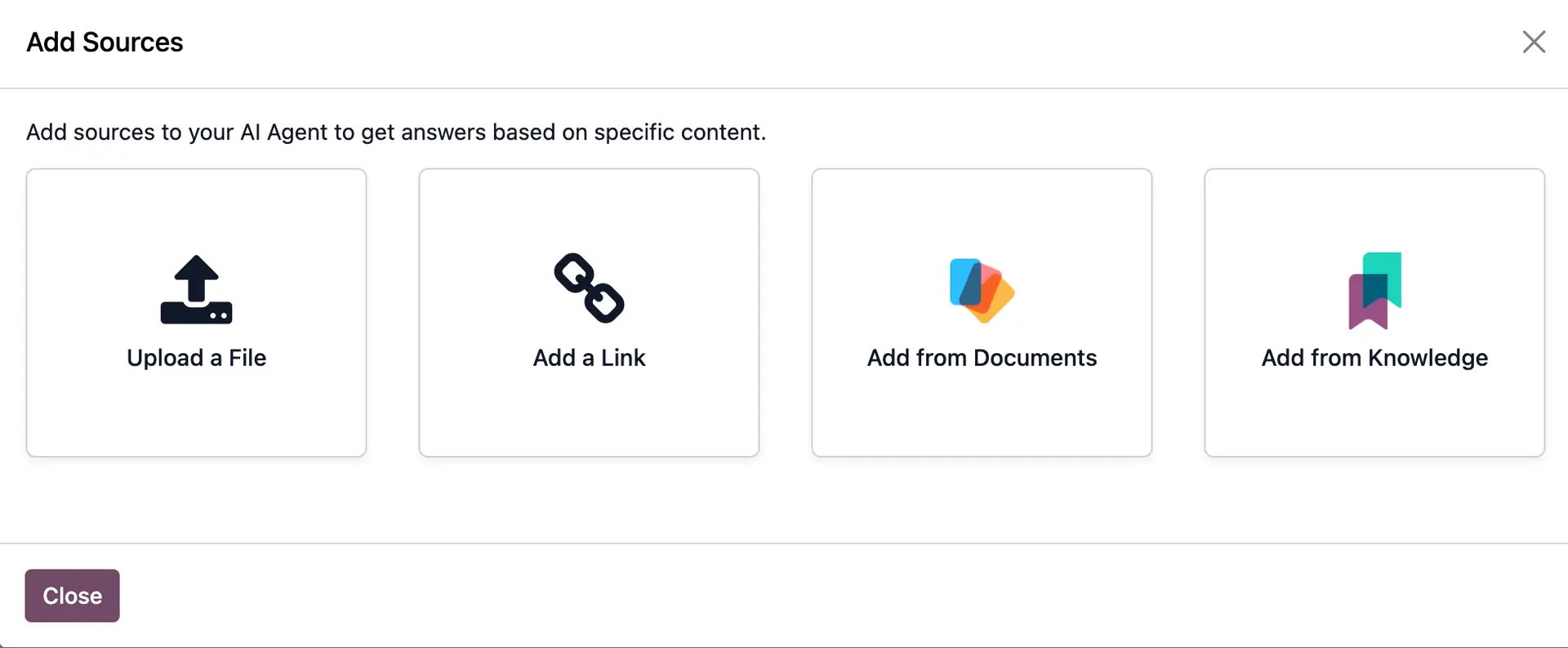
This agent is specifically trained to prioritise facts found in your uploaded knowledge base over general AI knowledge. As such, you need to have one of the following:
- Knowledge app with articles
- Documents app with uploaded files
- Other sources (external files or links) to manually add to your AI Agent.
Ask your question in plain language
Type your enquiry exactly as a customer would ask it. For our Tiny Home example, we asked:
“Is a tiny house worth it for one person? What models do you have, and are they durable? Where can I request a quote?”
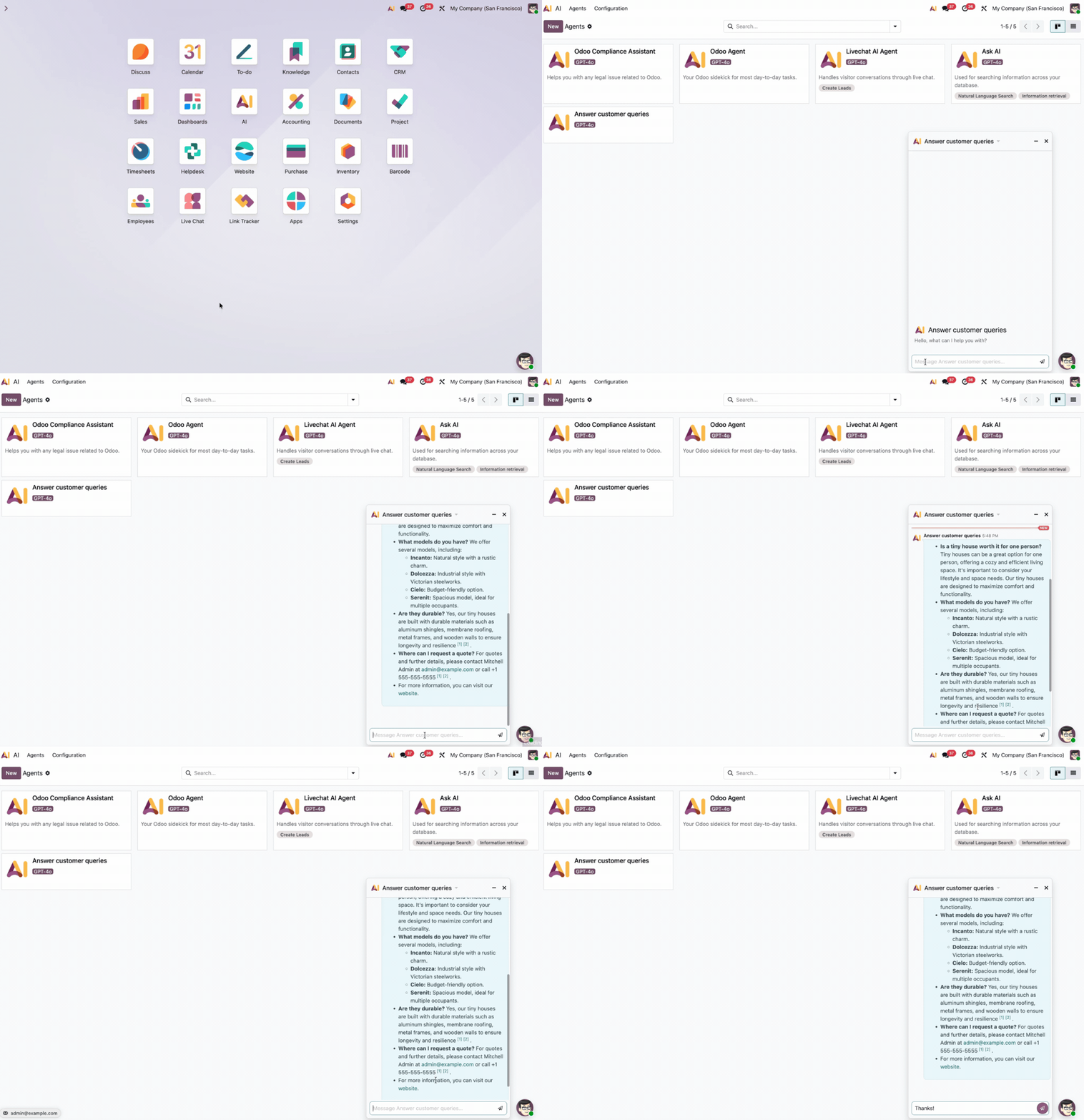
The AI instantly scans your stored data. It automatically:
- Synthesises a technical answer and explains the benefits for single occupants and confirms your specific durability standards (e.g., weatherproofing or materials)
- Lists available options and identifies the models currently in your product catalogue
- Provides the next action and points the user toward your quote request process.
You can trace the response back to the internal sources, which will be hyperlinked in the message. They can include: knowledge articles, documents, and even your website links.
By clicking the links, Odoo opens the source and shows exactly where in your knowledge base the information came from.
Let’s automate your processes with Odoo AI
If you have any questions on how this setup works or want to discover specific Odoo AI use cases, our team of experts can help.